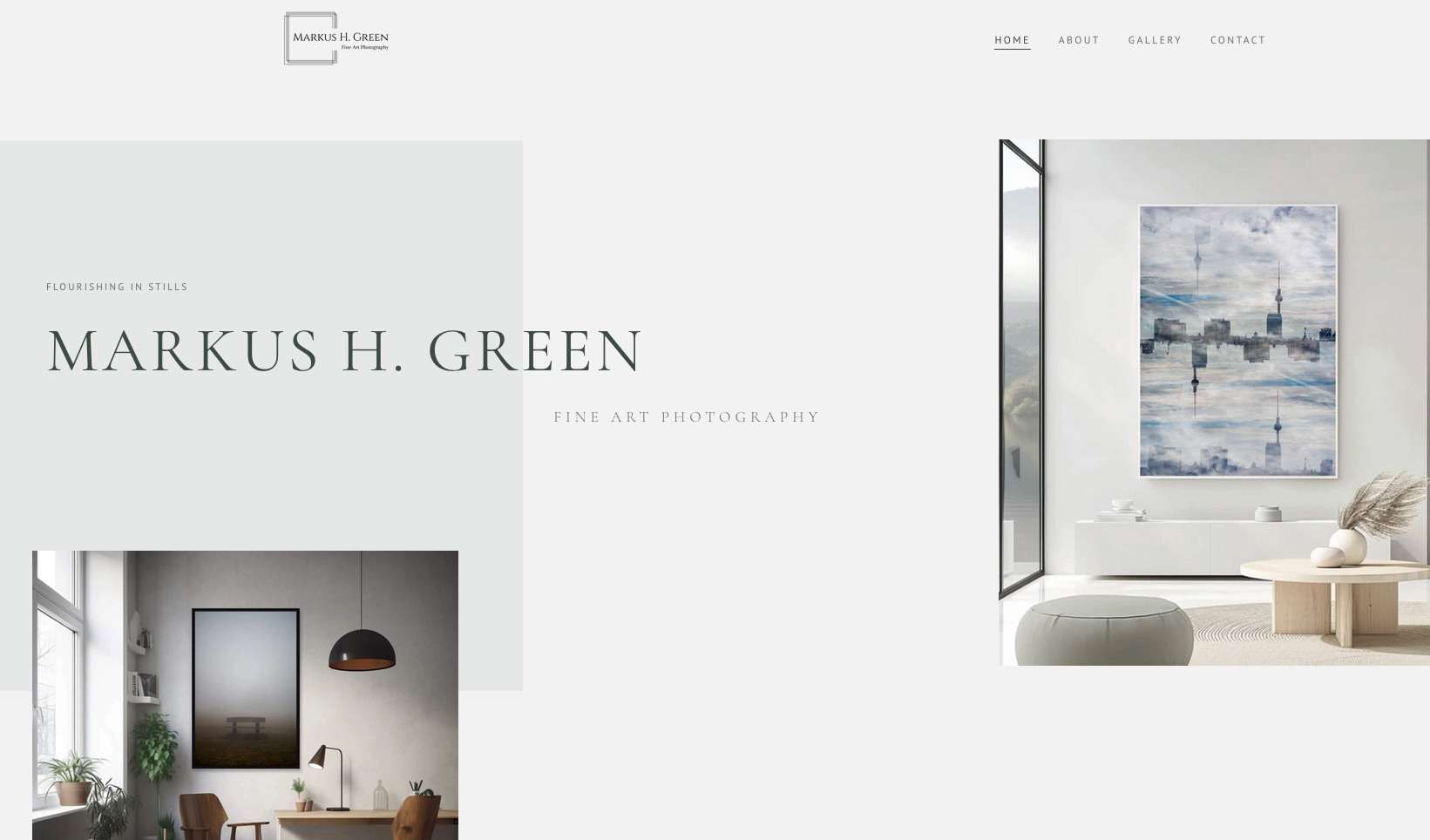
Leaving WordPress for speed and control
My photography site had been sitting on WordPress for a while. It worked. But it was slower than it needed to be, and keeping up with plugins takes more time than it should. The main reason to migrate was performance. I have a lot of high-quality images, and a fast site isn't optional when the content is the point.
A static build also gave me more room for SEO and custom configuration than any theme or plugin setup would. A small example: I wanted a right-click blocker to add a basic layer of image protection. On WordPress, that means a plugin or a workaround. On Astro, I just built it in. It's a minor thing, but it represents something bigger: any custom function I need is one I can add.
But design was the question I cared about most. These are meant to feel like collector's items. A cheap or templated look undermines everything else. That's one of the harder challenges with AI-assisted building: a lot of what gets generated looks clean and functional, but also a bit generic. Getting past that to something that looks the part took real iteration. I got there.
Building for collectors, not photographers
Most photography portfolio sites are built with other photographers in mind, whether consciously or not. The language, the structure, the things that get emphasis: it all signals "look at my craft" rather than "here's something you might want to live with."
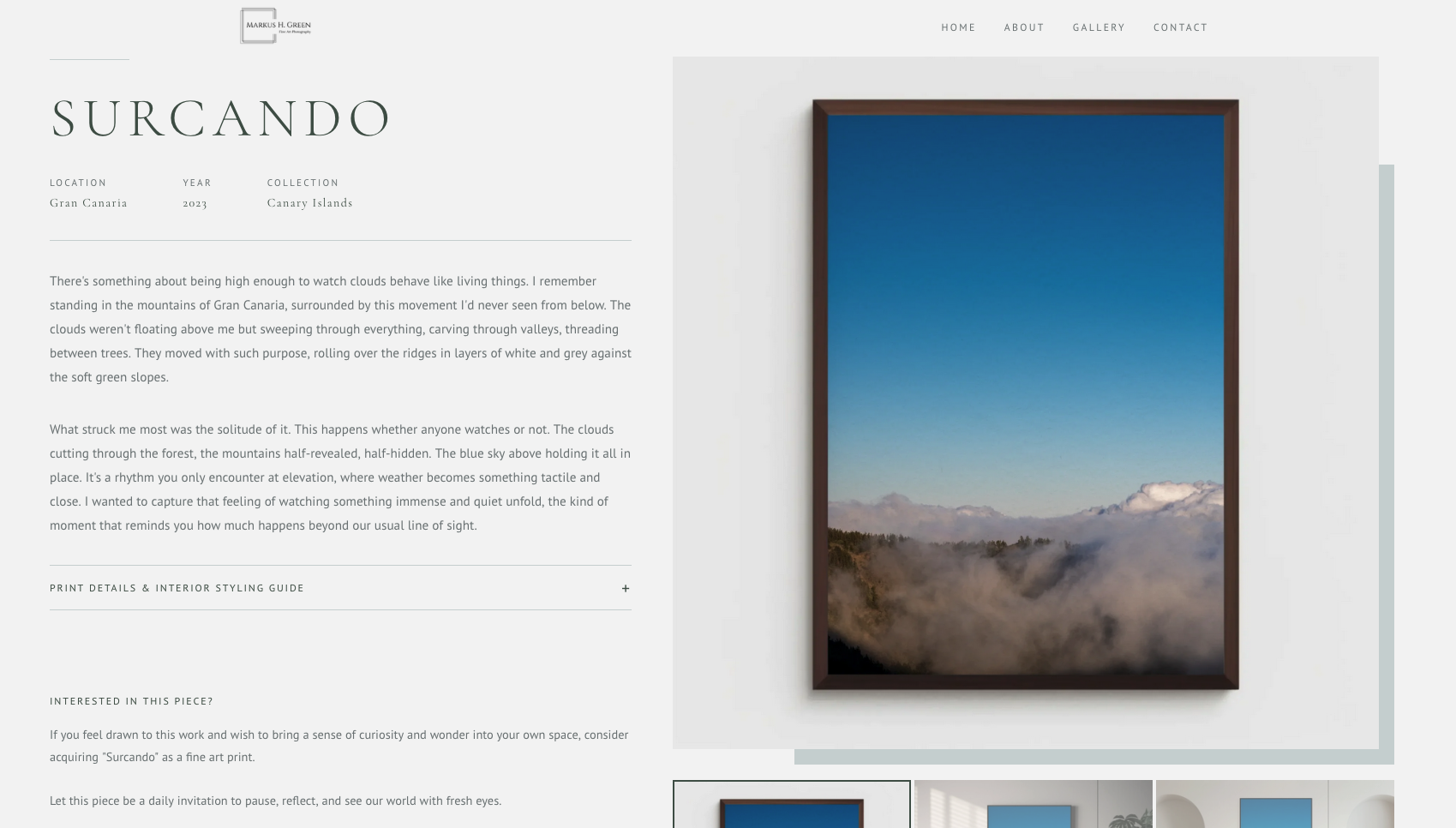
I wanted to flip that. The audience for this site is visitors and potential collectors: people deciding whether a print belongs in their home. That decision involves more than looking at the image. So every individual print page includes a detailed description, a short story about the piece, and a section on placement: what kind of space it suits, what it looks good next to, how light affects it.
That placement advice section exists for two reasons. It's genuinely useful for someone deciding whether to buy, and it's also built to rank. Long-tail searches like "Mediterranean print for living room" or "minimalist coastal art for hallway" are exactly what someone in buying mode types. Useful and SEO-friendly, for once, are the same thing.
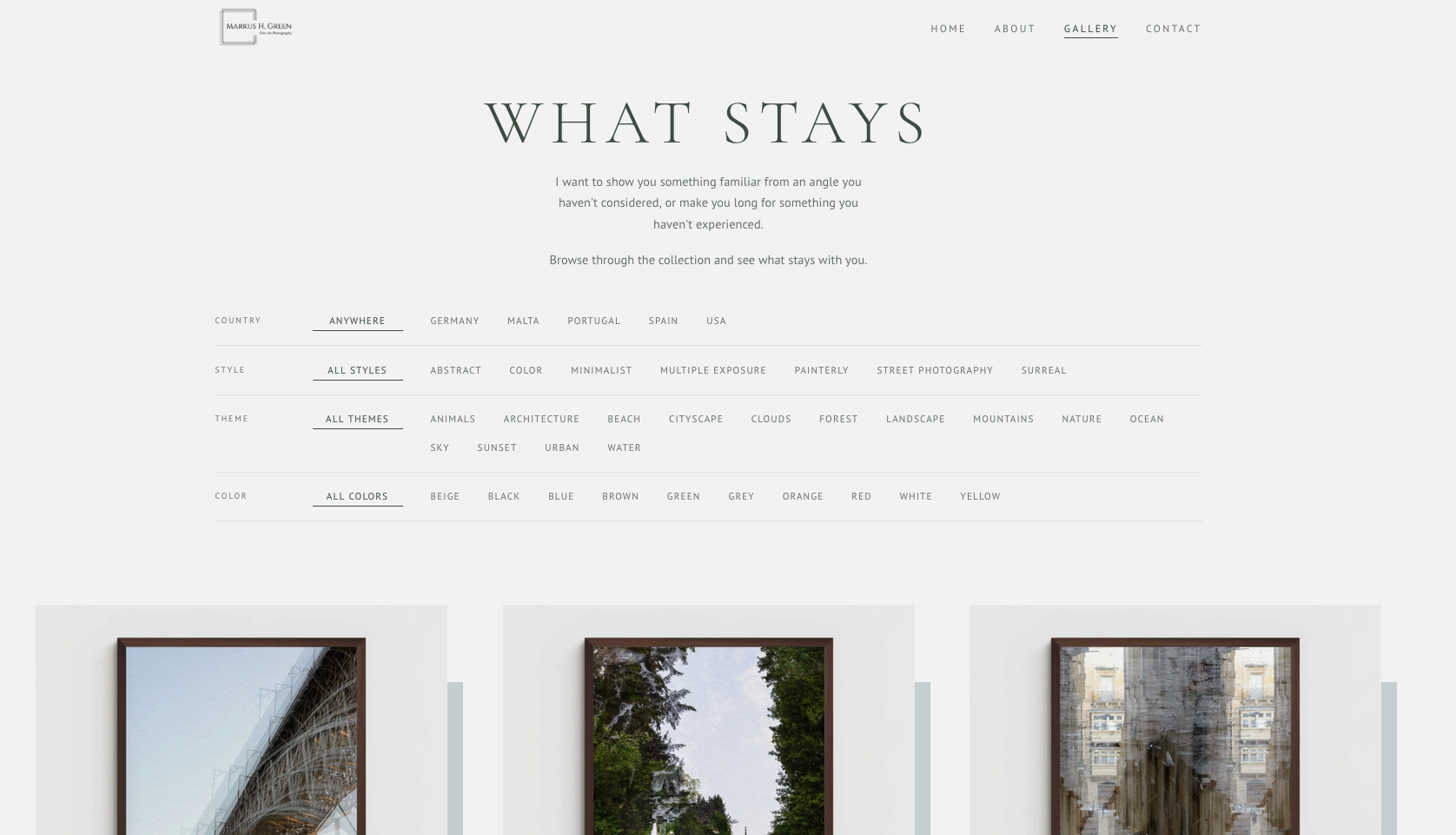
The gallery is filtered by four categories: country, style, theme, and colour. Someone looking for something specific doesn't have to browse by piece name. Filter by colour, narrow by theme, and the relevant work surfaces quickly. I also translated a few technical photography terms into plain language for the tags. "Intentional camera movement" became "painterly." Technically accurate isn't the same as visitor-friendly.
Schema markup done properly
One of the cleaner wins from building with AI: schema markup that covers what it should. For a photography commerce site, that means product schema, image schema, and the right metadata on every print page. With Claude Code handling the implementation, getting this right from the start was straightforward in a way it never used to be. It's one of those things that's technically important but easy to half-do. Here it got done fully.
An uploader built for an audience of one
Another part I'm genuinely proud of is the Python app I built alongside the site.
Uploading fine art prints manually is genuinely tedious. Every piece needs a description, specific artwork details, decoration advice, alt text, SEO-appropriate filenames, and metadata that follows consistent rules. Doing that by hand for each upload meant I kept putting it off.
I'd considered using a CMS, but nothing gave me enough control. Image naming conventions, metadata structure, description format: these needed to follow specific rules for the SEO and filtering to work correctly. A CMS would have made the obvious things easier and the custom things harder.
So I built a small uploader app, using Claude, that handles most of it automatically:
Drop the image, share some thoughts
I drag in the image file and write a few sentences about the piece: where it was taken, what I was going for, what it evokes.
AI generates the content
The app produces a full description, artwork details, and decoration advice columns based on my input and a set of established rules.
Select categories
I pick the relevant categories, which feed directly into the gallery's filtering mechanism on the site.
Everything else is generated
Filename, metadata, and alt text are all produced automatically following the established naming rules. If I tag a mockup as a living room shot, the app generates the right keywords: "fine art minimalist Mediterranean print in living room."
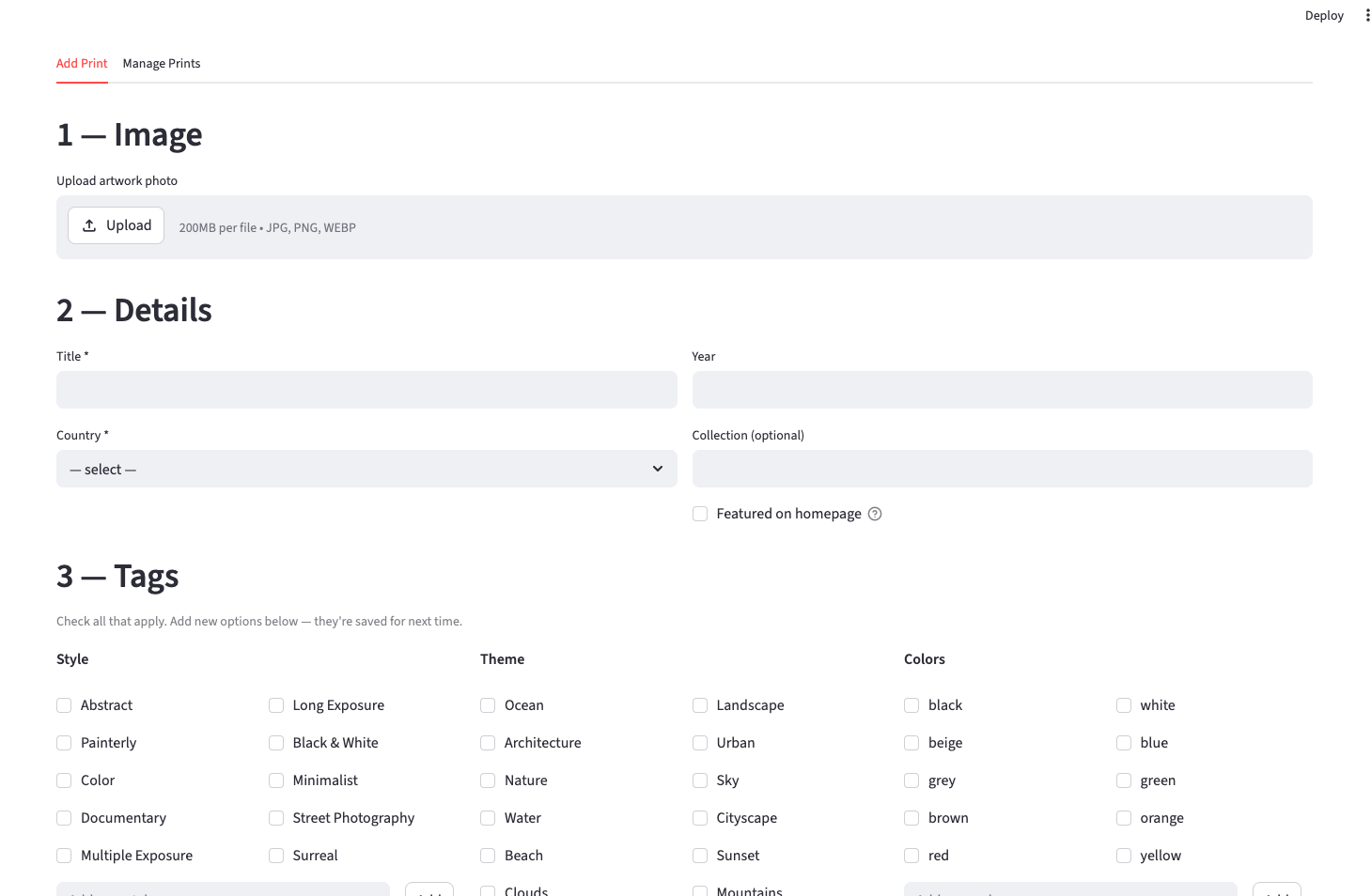
Generating and uploading mockups is still manual. But most of the repetitive, error-prone work is gone. The parts of the process I wasn't doing consistently are now done correctly every time.
The interface isn't pretty, but it doesn't need to be. It's for an audience of one. I mentioned it to someone recently, more or less as a throwaway detail: I had an annoying problem, so I built an app to fix it. She was genuinely surprised that building an app would even occur to someone as a solution to a personal problem. That reaction says something about where we are. The whole thing was built using a multimodal workflow, mostly through Claude Code.
Twenty years in, finally sharing it properly
The site just relaunched and I'm in the process of uploading the work. A fine art site competing nationally is a different game from local directory SEO. It's a longer play, and I knew that going in.
This one is more personal than the others. I've been photographing for nearly twenty years, including a stretch where I did it professionally. I wanted the work shown properly. And I wanted something that gave me a reason to start sharing it again: I hadn't been doing that much lately. Building the site has already helped with that.
More personal than the others: nearly twenty years of photographing, and finally a reason to start sharing again.